
On this page
EQQ-Triangle 26.01.B0143 is here: now on Linux, Windows and macOS, with a fresh new look and a setup wizard that does the heavy lifting.
For years, EQQ-Triangle has let teams get answers from their business data without writing a line of SQL. That part doesn’t change. Views, queries, functions, charts, users, roles and permissions work just like they always have.
What changes is everything around them. 26.01.B0143 follows 26.01.B0142 and is the first EQQ-Triangle built on our new platform: the biggest step in EQQ-Triangle’s history.
Your data. Your server. Your choice of operating system.
Linux, Windows or macOS? Yes.
EQQ-Triangle used to mean a Windows server running IIS. Now it runs natively on Linux, Windows and Windows Server, or in Docker on Linux and macOS, with no IIS needed.
- Linux: Debian and Ubuntu (
.deb), Fedora and Red Hat Enterprise Linux (.rpm) - Windows 10, Windows 11 and Windows Server: one download, extract, run
- macOS: with Docker Desktop
On Linux, run EQQ-Triangle natively as a system service or in Docker containers (Docker Engine or podman). On Windows, EQQ-Triangle runs natively. On macOS, it runs in Docker containers through Docker Desktop.
And it still speaks your database: PostgreSQL, MySQL and SQL Server, for EQQ-Triangle’s own data and for the data you report on.
Put EQQ-Triangle next to your data, wherever your data lives.
A new look. The same muscle memory.
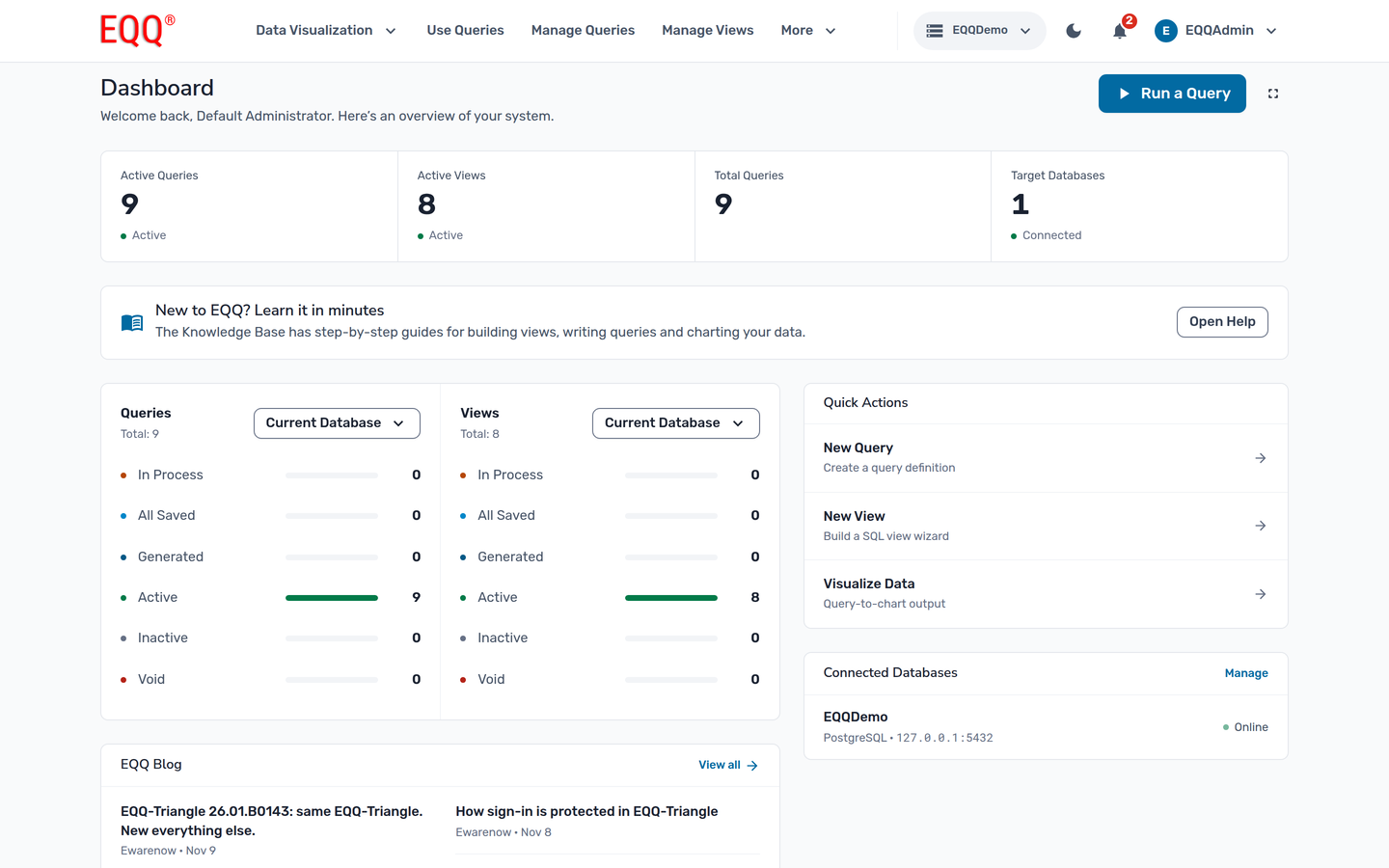
Every page has been redesigned around one consistent system: the same layout, buttons, tables and status colours from the dashboard to Security. Learn one page and you know them all.
- Light or dark. One click in the top bar.
- Any screen size. Layouts adapt down to smaller screens, with larger touch targets.
- Your language. English, Vietnamese and Thai.
- A dashboard that gets to the point. Active views and queries, their status, connected databases and your most common tasks, all on one screen.
- No more guessing. A button that isn’t available yet tells you why.
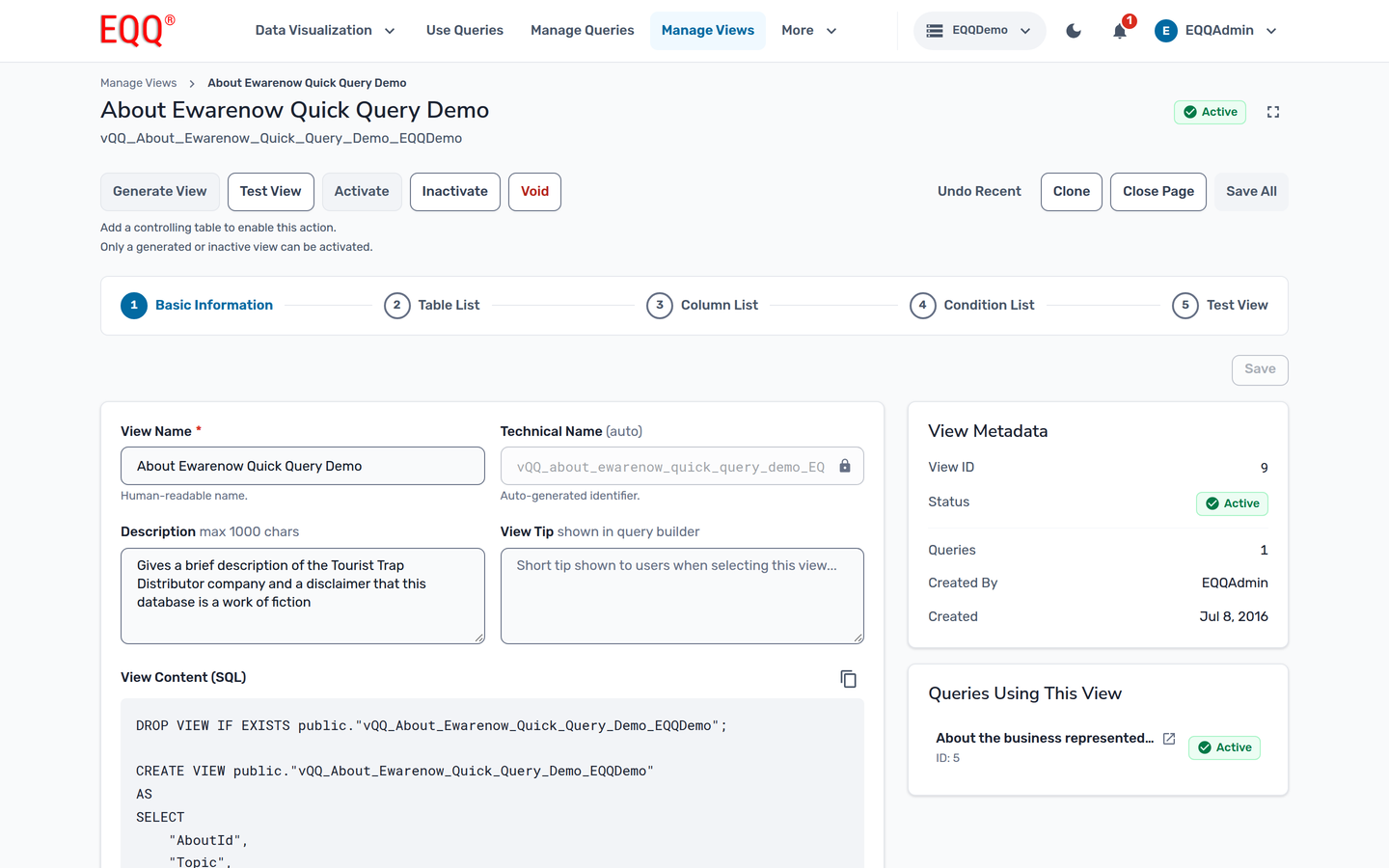
Building a view or a query follows the steps you already know: basic information, tables, columns, conditions, parameters and sorting. Now they sit in one clear step list, with Save All always one click away.
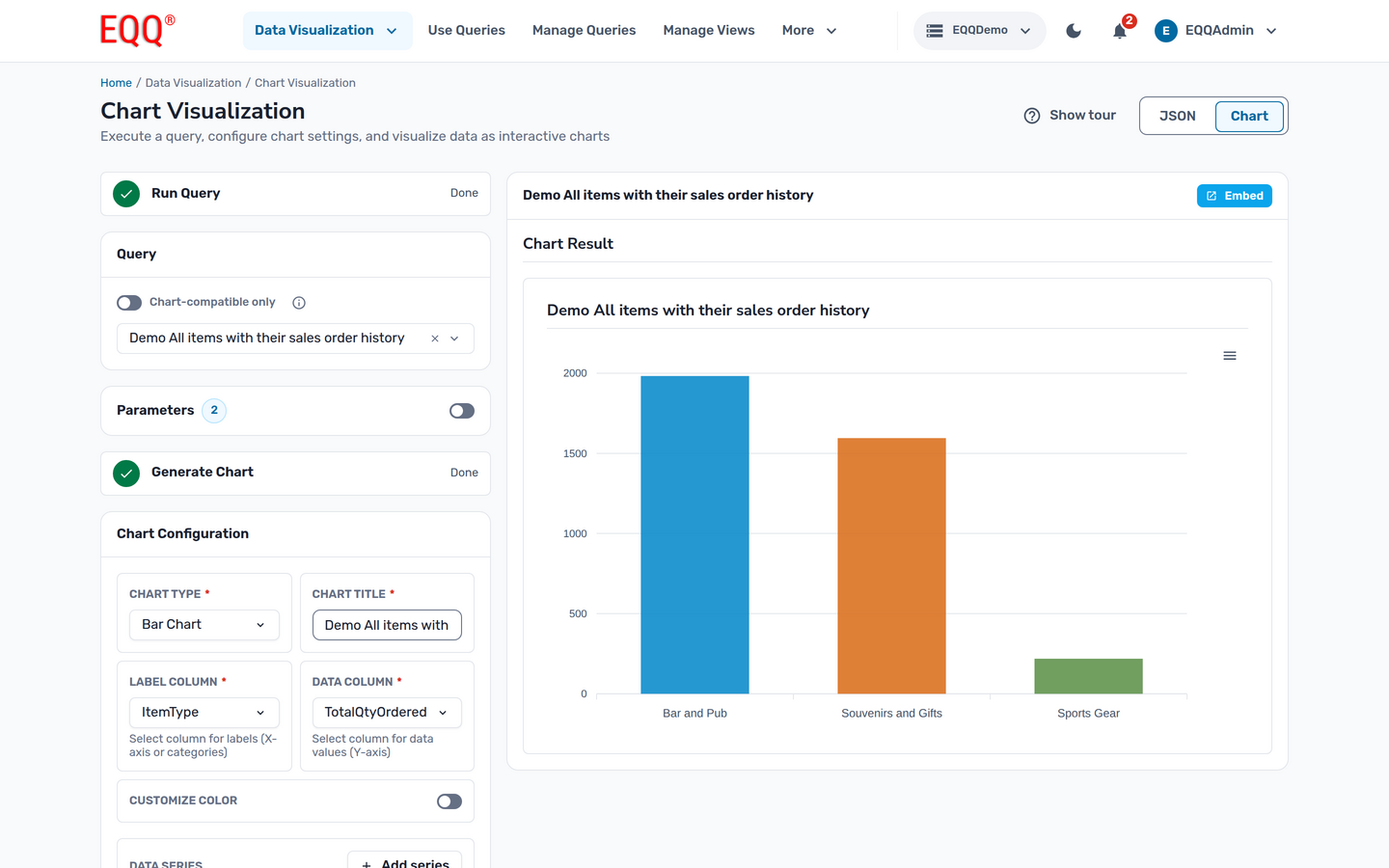
From question to chart, without writing SQL. As always. Just faster to the eye.
Seven steps from download to dashboard.
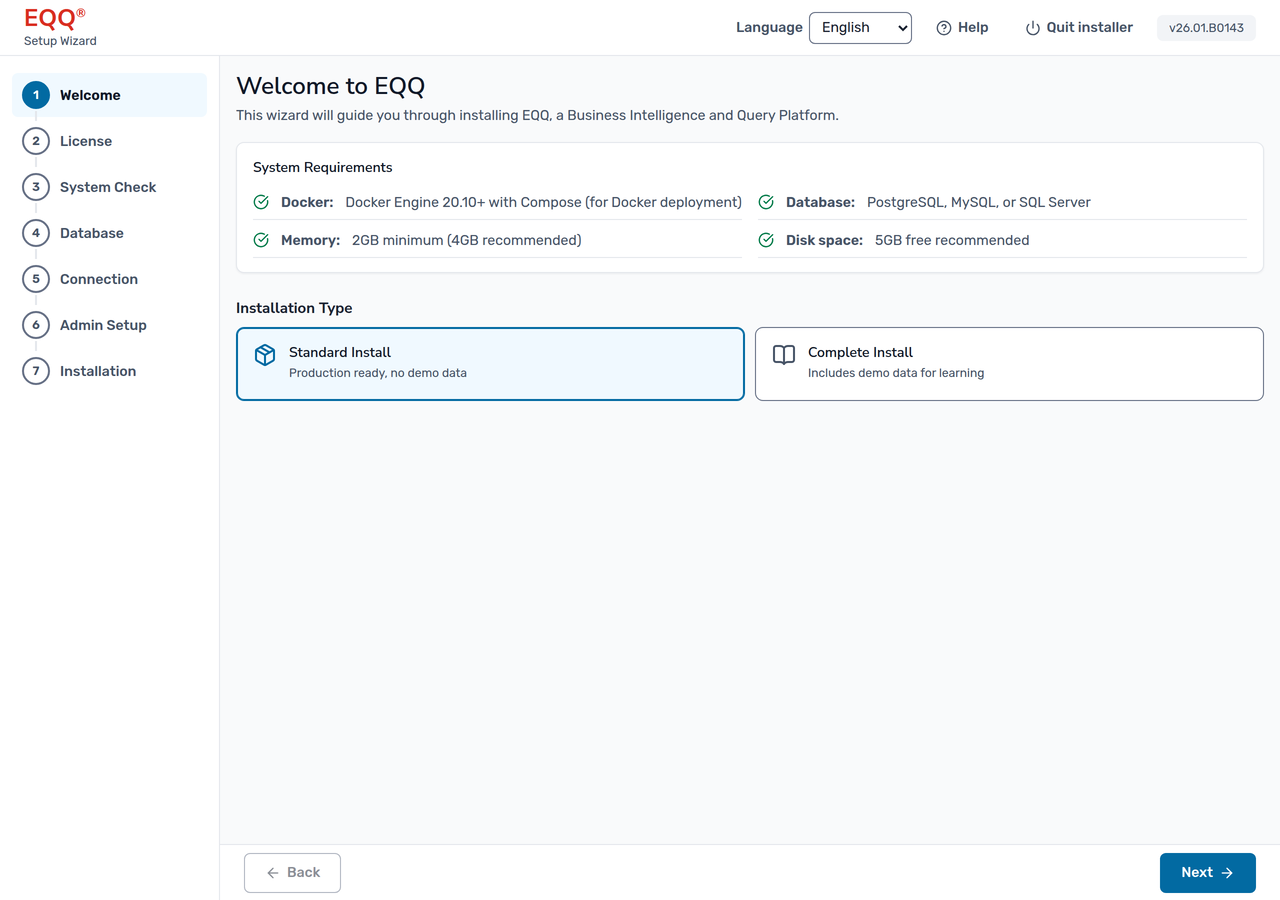
The new EQQ Setup Wizard walks you from download to a running EQQ-Triangle in seven guided steps: Welcome, License, System Check, Database, Connection, Admin Setup and Installation.
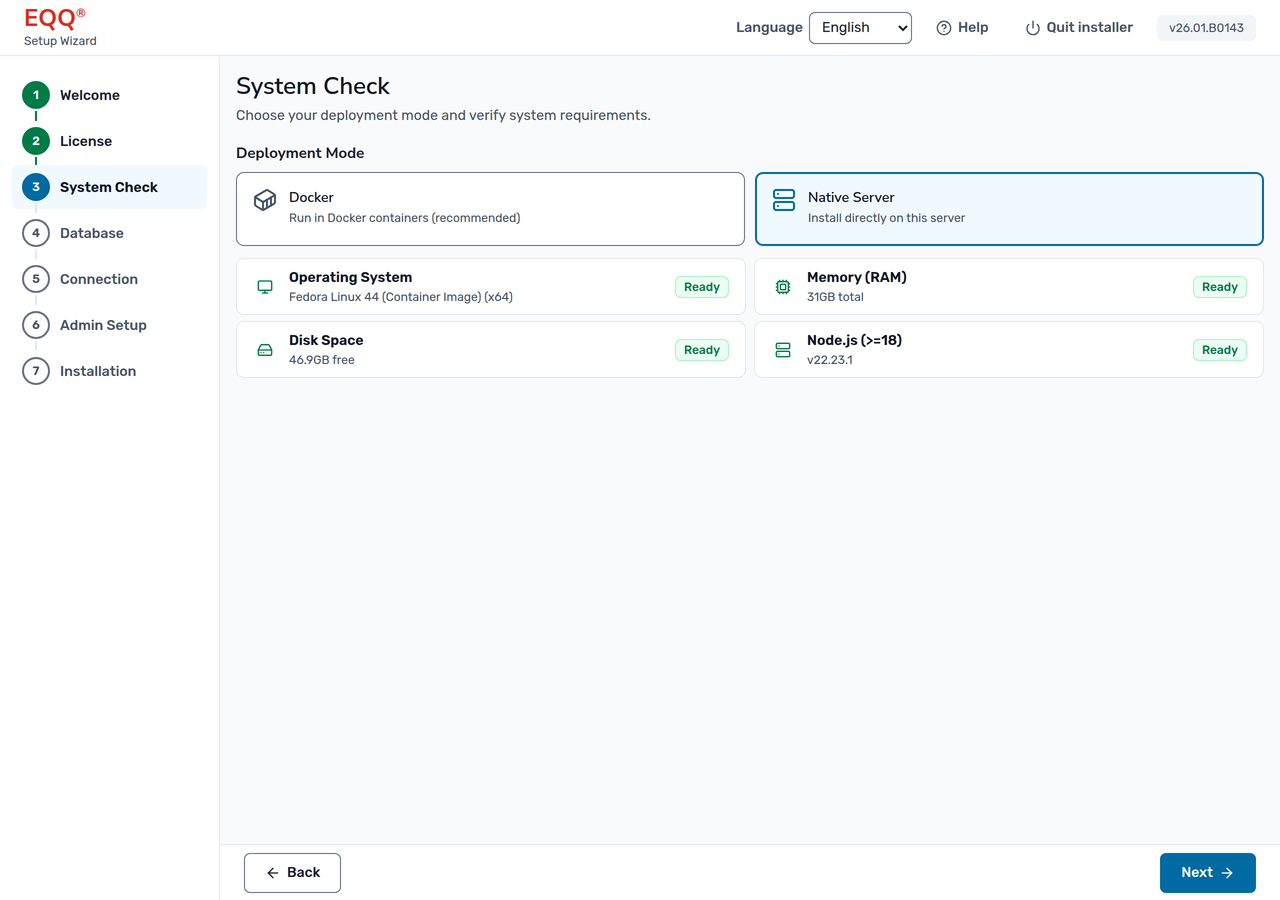
- Check first, change later. System Check confirms your machine is ready before anything is touched.
- Test before you commit. Pick PostgreSQL, MySQL or SQL Server and test the connection on the spot.
- Production or playground. A clean Standard install, or a Complete install with demo data to learn on.
- One wizard for the whole lifecycle. Install, upgrade, reinstall and uninstall in the same place. Already installed? The wizard finds it and offers the upgrade.
- A backup before every upgrade. Before anything changes, your data is saved.
- License in a few clicks. Import your license file right inside the app.
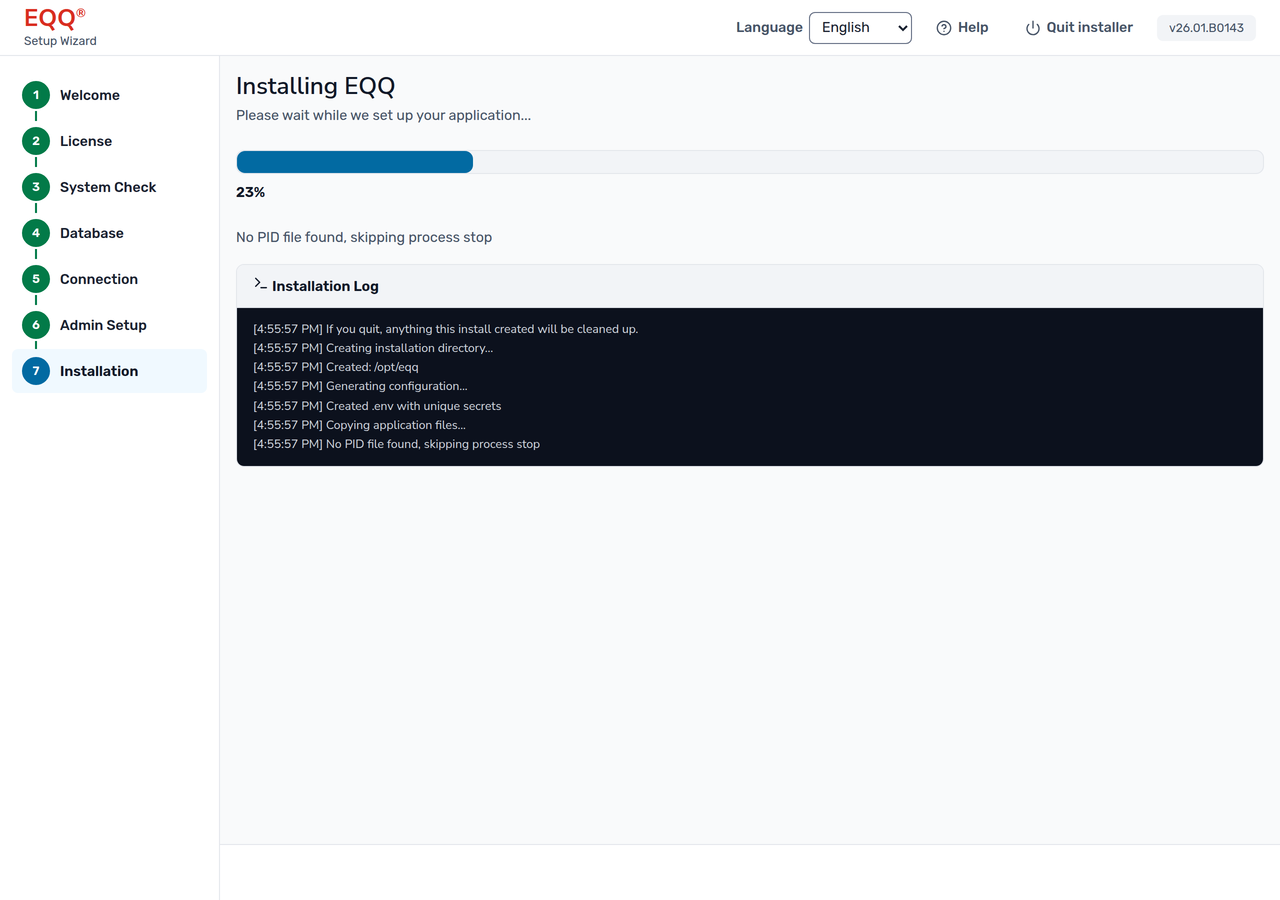
Running a server without a desktop? The installer has a text mode too.
Less time installing. More time answering questions.
Upgrading from 26.01.B0142?
26.01.B0143 is the next version after 26.01.B0142, with the same features on the new platform.
Upgrading from 26.01.B0142 to 26.01.B0143 is supported, and your queries, views and settings come with you. The new version replaces the previous one; the two can’t run side by side on the same computer. Talk to us before you switch: we’ll help you plan and carry out the upgrade.
Get EQQ-Triangle 26.01.B0143
Available now for Linux, Windows and macOS. Existing customers: contact us for your download and license. New to EQQ-Triangle? See it in action.
Try EQQ-Triangle Free for 2 Months · Get in Touch for EQQ-Triangle Discussion
Same EQQ-Triangle. New everything else.

You May Also Like
Let’s start a conversation
No online order, no pressure - just a discussion about what your business needs.